


ScalperIntel
ICT KillZones
ICT KillZones
Up to 2
machines per license
- Instant download after checkout
- Lifetime updates included
- NinjaTrader 8 compatible
- Direct support from the team
Enter it to unlock an offer.
Your offer is on its way.
We've emailed your offer. Check your inbox (and spam) for the link to get started.
Couldn't load pickup availability
Overview
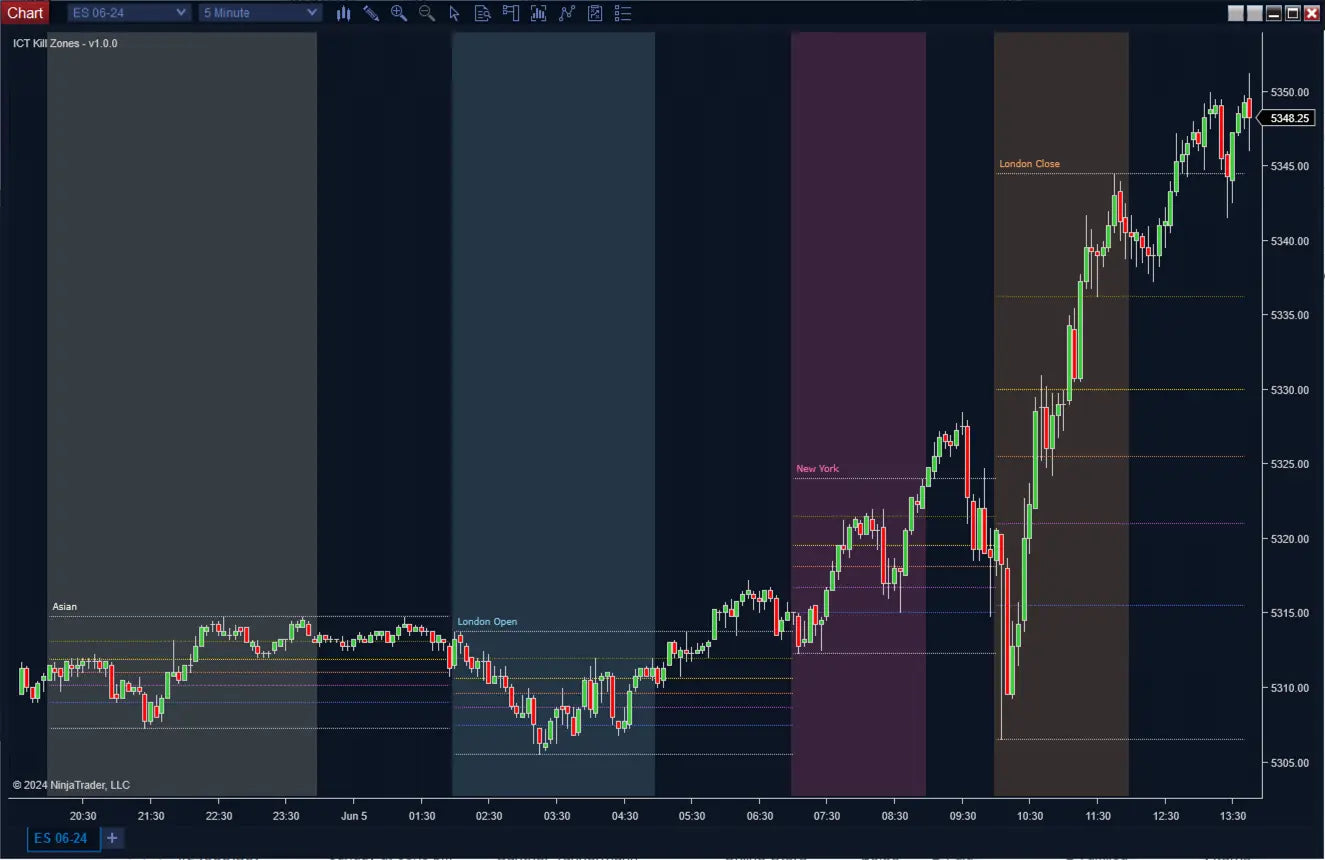
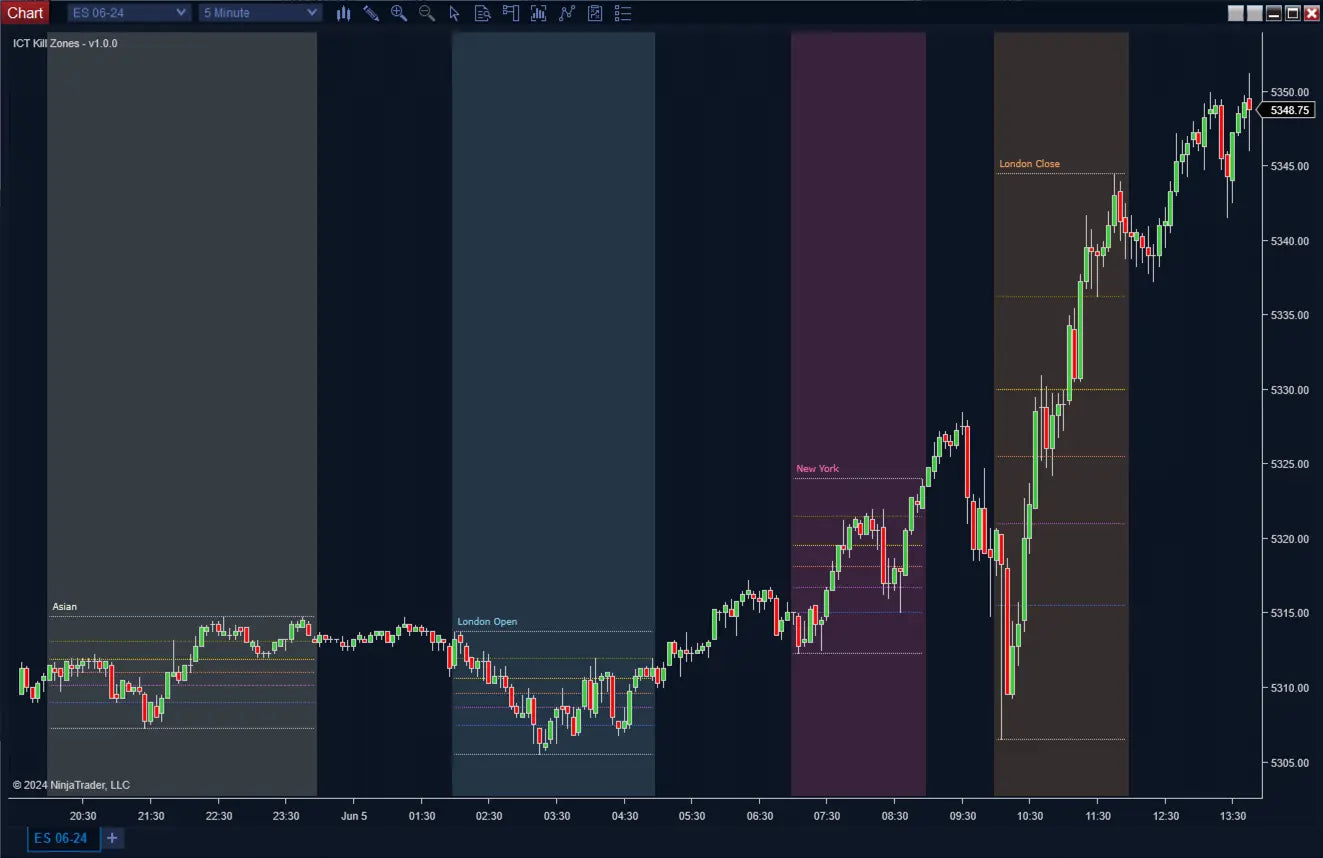
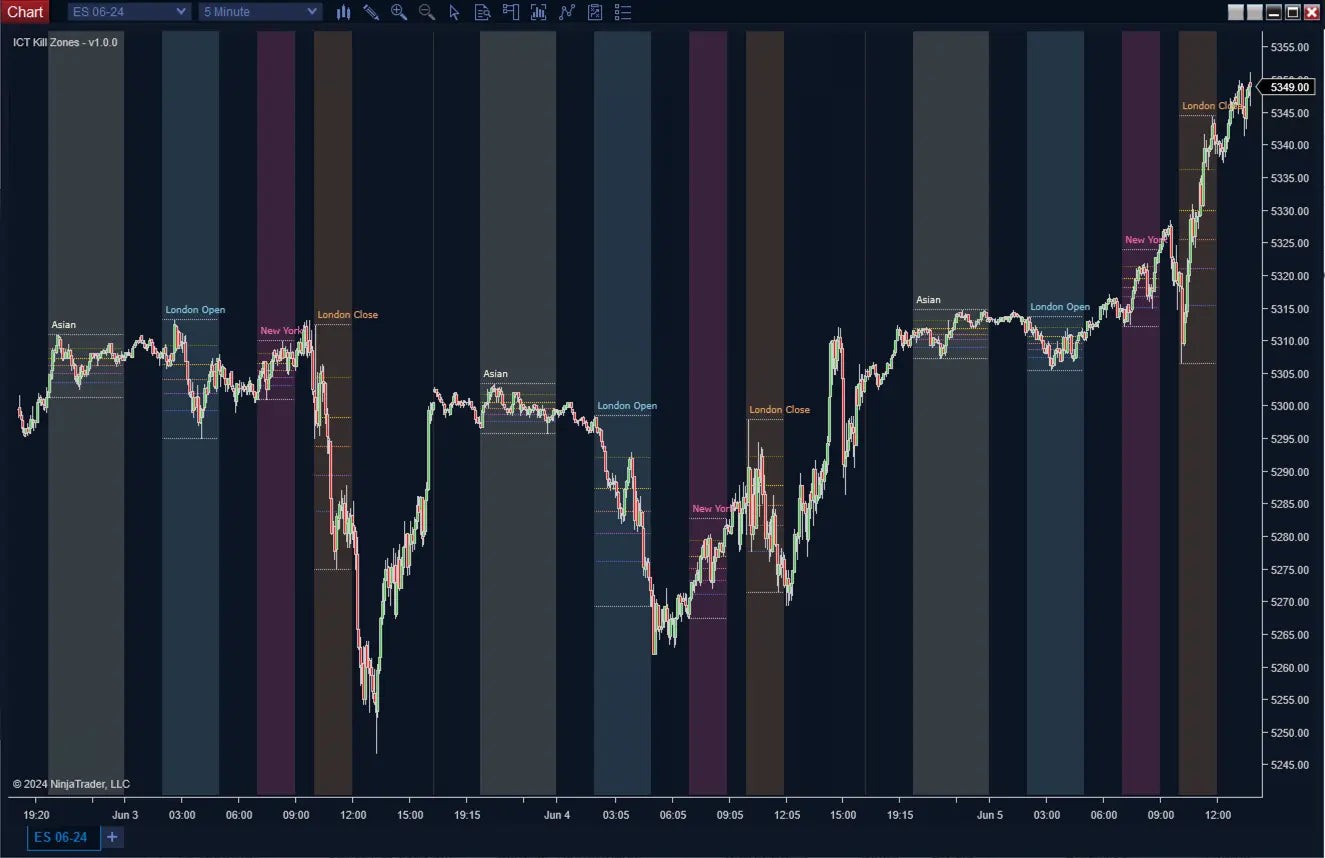
ICT KillZones for NinjaTrader 8 — automatically highlights the 4 institutional trading sessions (London Open, New York Open, London Close, Asian Session) where volatility and liquidity are at their peak, with integrated Fibonacci retracements built from each session's range for precision entries.
Built for ICT traders who know timing is everything. Non-repainting (time-based), automation-ready, Strategy Builder compatible.
What Makes It Different
Trading Concepts You'll Use
- ICT killzones & session timing
- Institutional trading windows
- Liquidity sweeps in killzone hours
- Fibonacci retracement entries
- Session-based bias confirmation
- EST-based session anchoring
Features
Core Detection
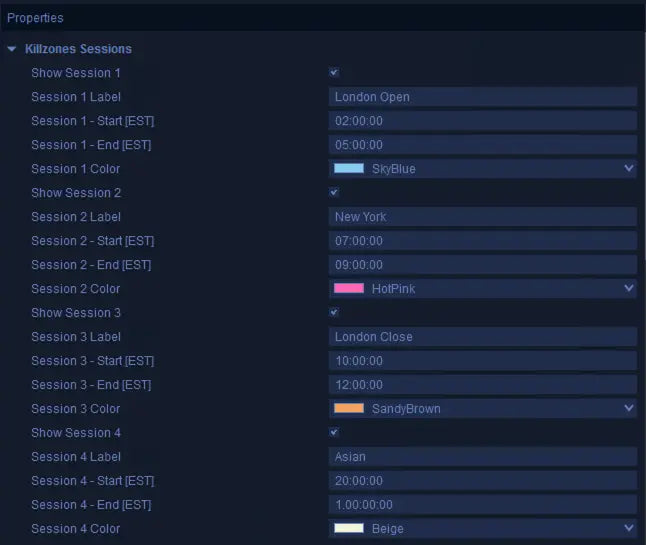
- 4 Predefined ICT Sessions: London Open (2:00–5:00 EST), NY Open (7:00–9:00 EST), London Close (10:00–12:00 EST), Asian Session (8:00 PM–12:00 AM EST).
- 4 Custom Sessions: Define your own start/end times, names, and colors.
- Smart Timezone Handling: Input times in EST, automatically converted to your local timezone.
- Plot Key Levels:. Plot Previous Day, Previous Week and Current Day highs and lows with a custom trading-day anchor in EST (default 17:00, the true futures day).
- Integrated Fibonacci: Up to 7 levels (0, 0.236, 0.382, 0.5, 0.618, 0.782, 1) built from each session range.
- Clean Visual Zones: Adjustable colors, opacity, and labels for clutter-free charts.
Automation & Pro Tools
- Hidden Plots: Session-active flag (0/1), Key Levels and Fibonacci levels exposed for Strategy Builder.
- Time-Based Filtering: Use the session flag to restrict strategies to high-probability hours only.
- Backtest-Ready: Time-based sessions are fixed — perfect for systematic backtesting.
- Confluence-Friendly: Pair with ICT Bias, Liquidity Sweeps, SFP, or Breaker Blocks for timed executions.
How It Compares
How this stacks up against typical session tools on the market.
| Feature | ScalperIntel | Session Tools |
|---|---|---|
| ICT Killzones | ✔ 4 preconfigured | ⚠ Generic sessions only |
| Custom Sessions | ✔ Up to 4 additional | ⚠ Limited |
| Key Levels (Custom Anchor) | ✔ Built-in | ✖ Separate tool needed |
| Fibonacci Integration | ✔ Built-in | ✖ Separate tool needed |
| Timezone Handling | ✔ Auto EST conversion | ⚠ Manual |
| Repainting | ✔ Non-repainting | ⚠ Varies |
| Automation | ✔ Strategy Builder | ✖ Limited |
Compatibility
Platform Support
- NinjaTrader 8 — Latest stable build. Works across futures, forex, and all NT8-supported instruments.
- Strategy Builder — Session flag and Fibonacci levels exposed for full automation.
- BloodHound — Combine killzone timing with BloodHound logic packs.
- Blackbird — Strategy chains supported.
Reliability & Trust
- ✔ Killzone sessions are time-based and fixed — no repainting
- ✔ Reliable for discretionary trading and Strategy Builder automation
- ✔ Timing alone can drastically improve results — even before changing your strategy
- ✔ Continuously updated — bug fixes and new features included with every Lifetime License
FAQ
What are the 4 ICT killzones?
London Open (2:00–5:00 EST), New York Open (7:00–9:00 EST), London Close (10:00–12:00 EST), and Asian Session (8:00 PM–12:00 AM EST). These are the windows where institutional activity drives the highest volatility.
Do I need to enter times in my timezone?
No. All times are entered in EST. The indicator automatically converts to your local timezone, so you never have to do the math.
How does the Fibonacci work?
Once a session completes, the indicator builds Fibonacci retracements from the session's high to its low (or vice versa, depending on direction). You get up to 7 customizable levels for pullback entries and target levels.
Can I automate this?
Yes. The session-active flag (0/1) lets automated strategies run only during killzones — a powerful filter on its own. Fibonacci levels are also exposed for Strategy Builder.
What pairs well with killzones?
ICT Bias for direction, Liquidity Sweeps for stop-hunt confluence, SFP for entry timing, and Breaker Blocks for structure. Killzones give you when; the others give you what.
Will I get future updates?
Yes — every Lifetime License includes all minor updates and bug fixes for as long as the product exists. Major version upgrades are also included.
-
License Terms
How to activatePrices shown are for a single license. Each license can be linked to one NinjaTrader User ID, allowing the indicator to run on up to two machines concurrently under the same User ID.
After you buy, you activate the license yourself in your account — it takes about two minutes.
Version minor upgrades and bug fixes are included within the lifetime license. For more license details, review Terms of Service
-
Refund Terms
7-days 100% money back guarantee when trial licenses was not offered for the customer. For more details, review Refund Policy