

ScalperIntel
ICT KillZones
ICT KillZones
Couldn't load pickup availability
ICT KillZones Indicator for NinjaTrader
Timing is everything. Trade when institutions move.
The ICT KillZones Indicator is designed to help traders focus on the most important factor in trading—timing.
Instead of trading randomly throughout the day, this indicator highlights high-probability trading sessions where institutional activity and volatility are at their peak.
By combining ICT Killzones with automatic Fibonacci retracements, this tool gives you a complete framework for precision entries during the most active market periods.
The Concept
Markets do not move evenly throughout the day.
The majority of meaningful price movement occurs during specific windows known as Killzones, where liquidity, volatility, and institutional participation increase significantly.
These sessions are where:
- ✔ Liquidity is taken
- ✔ Reversals are formed
- ✔ Trends begin or accelerate
Trading outside these windows often leads to:
- ✖ Choppy price action
- ✖ Low probability setups
- ✖ False signals
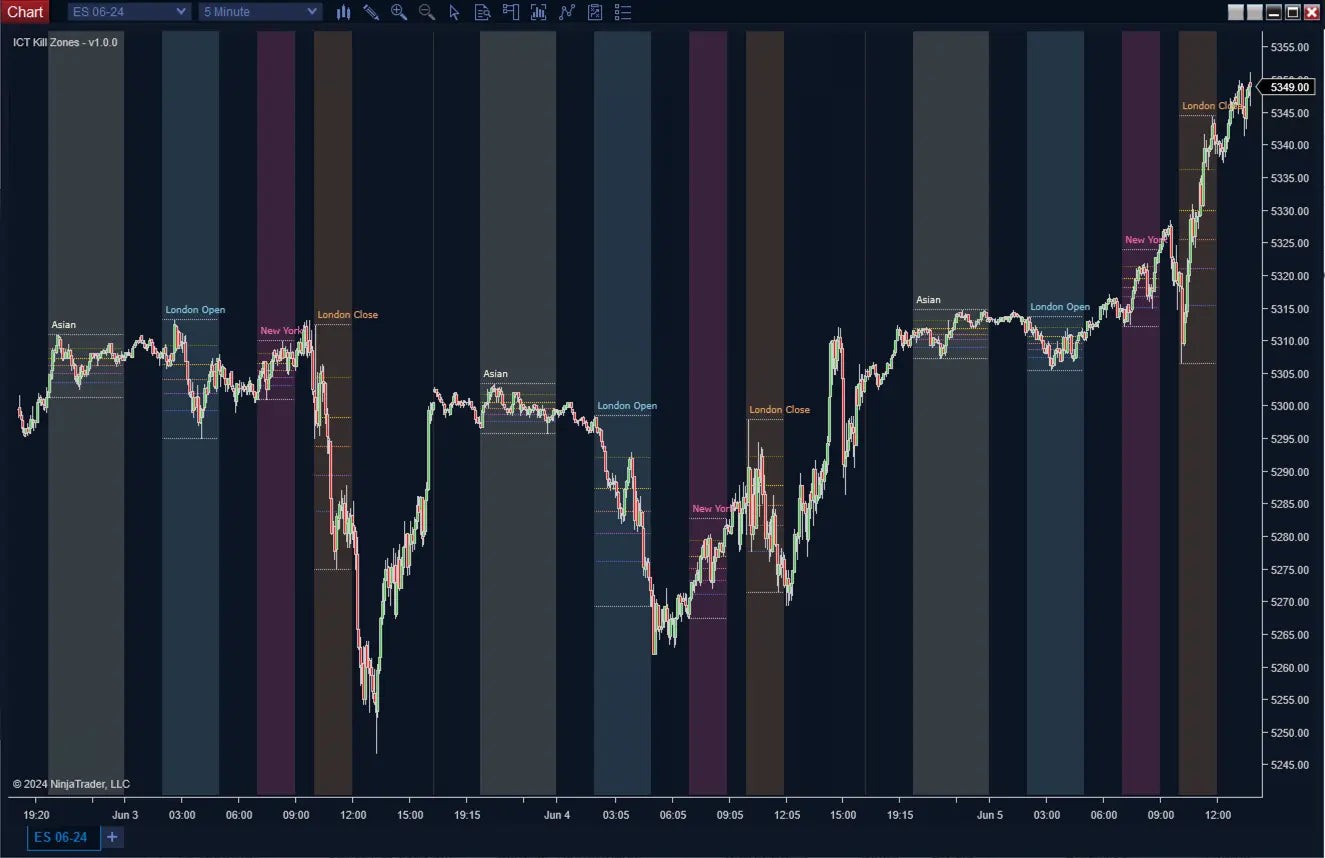
ICT KillZones solves this by visually isolating the best trading hours.
Predefined ICT Killzones
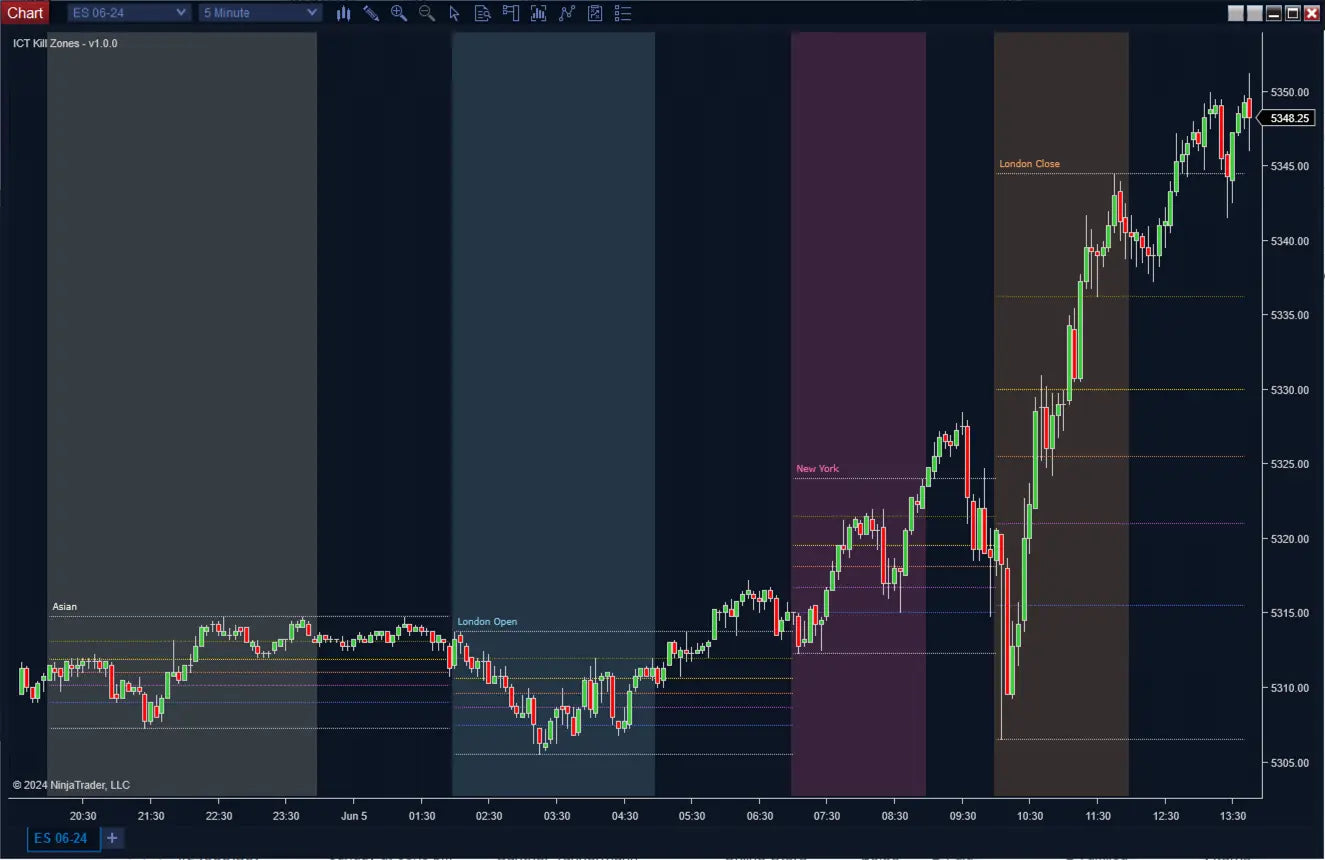
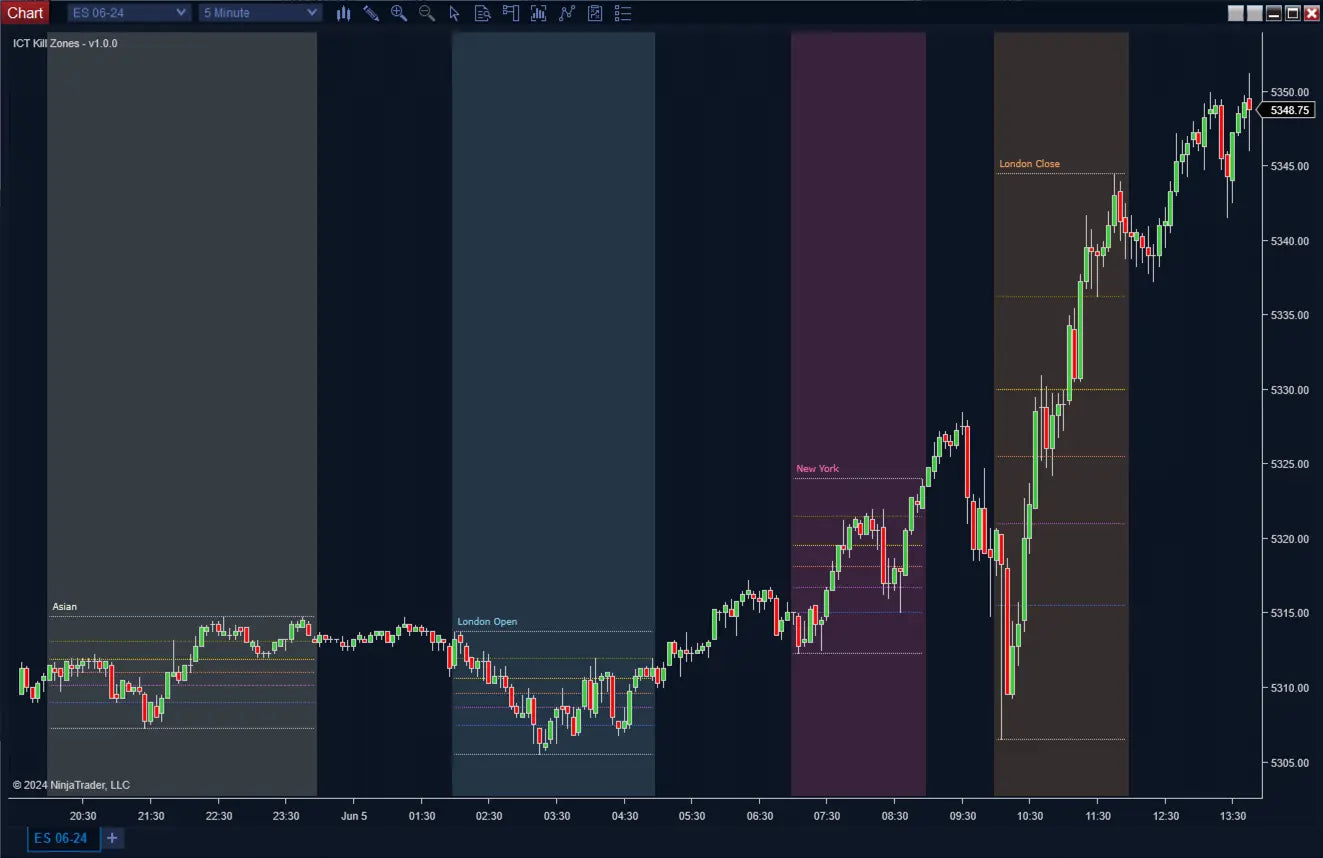
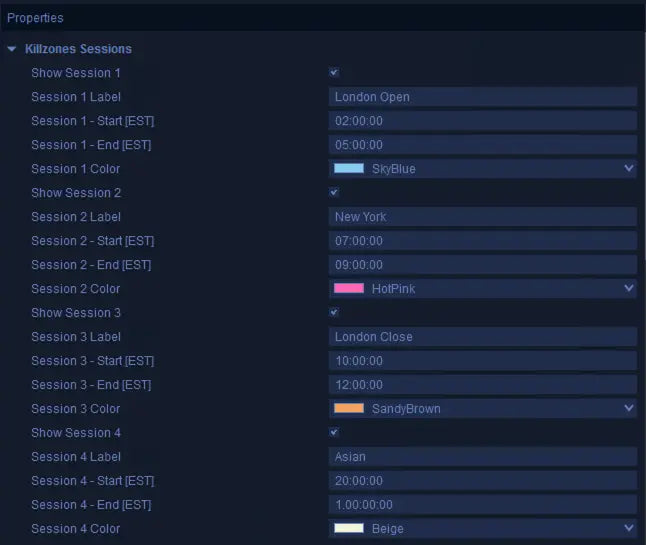
- London Open: 2:00 AM – 5:00 AM (EST)
- New York Open: 7:00 AM – 9:00 AM (EST)
- London Close: 10:00 AM – 12:00 PM (EST)
- Asian Session: 8:00 PM – 12:00 AM (EST)
Each session is clearly highlighted on your chart with customizable colors and labels.
What the Indicator Does
- ✔ Highlights institutional trading sessions automatically
- ✔ Converts EST session times to your local timezone
- ✔ Builds Fibonacci retracements from each session range
- ✔ Displays key retracement levels for precision entries
- ✔ Outputs data for full automation
Key Features
Automatic Killzone Detection
- Predefined ICT sessions included
- No manual time tracking required
- Clean visual zones on your chart
Fully Customizable Sessions
- Define up to 4 custom sessions
- Adjust start and end times (EST-based)
- Rename sessions to fit your strategy
- Customize colors and visibility
Smart Timezone Handling
- Input times in EST
- Automatically converts to your local time
- Eliminates confusion and errors
Integrated Fibonacci Retracements
- Builds retracements from each session range
- Supports up to 7 customizable levels:
- 0
- 0.236
- 0.382
- 0.5
- 0.618
- 0.782
- 1
- Ideal for:
- Entry zones
- Pullbacks
- Targets
Trade Timing Optimization
- Focus only on high-volatility periods
- Avoid low-probability market hours
- Improve trade efficiency and accuracy
Automation Ready (Hidden Plots)
- Session active flag (0 / 1)
- Fibonacci levels output
- Fully compatible with Strategy Builder
Clean & Customizable Interface
- Adjust colors, opacity, and labels
- Control Fibonacci visibility
- Lightweight and visually clear
Why Killzones Matter
| Time | Market Behavior |
|---|---|
| Killzones | High volatility, strong moves, liquidity events |
| Outside Killzones | Choppy, slow, low probability |
| Automation | Ability to integrate within your Automated Strategy |
Timing alone can drastically improve your results—even before changing your strategy.
Use Cases
- ✔ Time entries during London and New York opens
- ✔ Combine with ICT Bias for directional trades
- ✔ Use with Liquidity Sweeps and SFP for execution
- ✔ Apply Fibonacci retracements for pullback entries
- ✔ Avoid trading during dead market hours
How to Use
- Step 1: Identify active Killzone
- Step 2: Wait for setup (liquidity sweep, breaker, SFP)
- Step 3: Use Fibonacci levels for entry precision
- Step 4: Execute only during high-probability sessions
Most traders don’t have a strategy problem—they have a timing problem.
Killzones fix that.
Trade less. Trade smarter. Trade at the right time.
Recommended Timeframe
Recommended Timeframe
Intraday and any chart type
Supported Systems
Supported Systems
NinjaTrader 8, SharkIndicators Bloodhound 1 or 2, and SharkIndicators Blackbird 1
Version
Version
1.0
First Release Date
First Release Date
-
License Terms
Prices shown are for a single license. Each license can be linked to one NinjaTrader User ID, allowing the indicator to run on up to two machines concurrently under the same User ID.
Version minor upgrades and bug fixes are included within the lifetime license. For more license details, review Terms of Service
-
Refund Terms
7-days 100% money back guarantee when trial licenses was not offered for the customer. For more details, review Refund Policy