

ScalperIntel
Equal Highs and Lows
Equal Highs and Lows
Couldn't load pickup availability
Equal Highs and Lows (EQH/EQL) Indicator for NinjaTrader
Identify liquidity zones with precision—before the market reacts.
The Equal Highs and Lows (EQH/EQL) indicator is designed to help traders detect one of the most important concepts in modern price action and smart money trading—liquidity.
By automatically identifying areas where price forms equal highs (EQH) and equal lows (EQL), this tool highlights key zones where stop orders accumulate and where the market is most likely to react.
These are not just support and resistance levels.
They are liquidity pools—and price is drawn to them.
The Concept
Equal highs and lows occur when price forms multiple swing points at nearly the same level.
These areas often represent:
- ✔ Stop-loss clusters
- ✔ Liquidity pools
- ✔ Breakout triggers
- ✔ Reversal zones
The EQH/EQL indicator uses a pivot-based detection method, ensuring that only structurally valid highs and lows are marked—not random candle noise. :contentReference[oaicite:0]{index=0}
What You See on the Chart
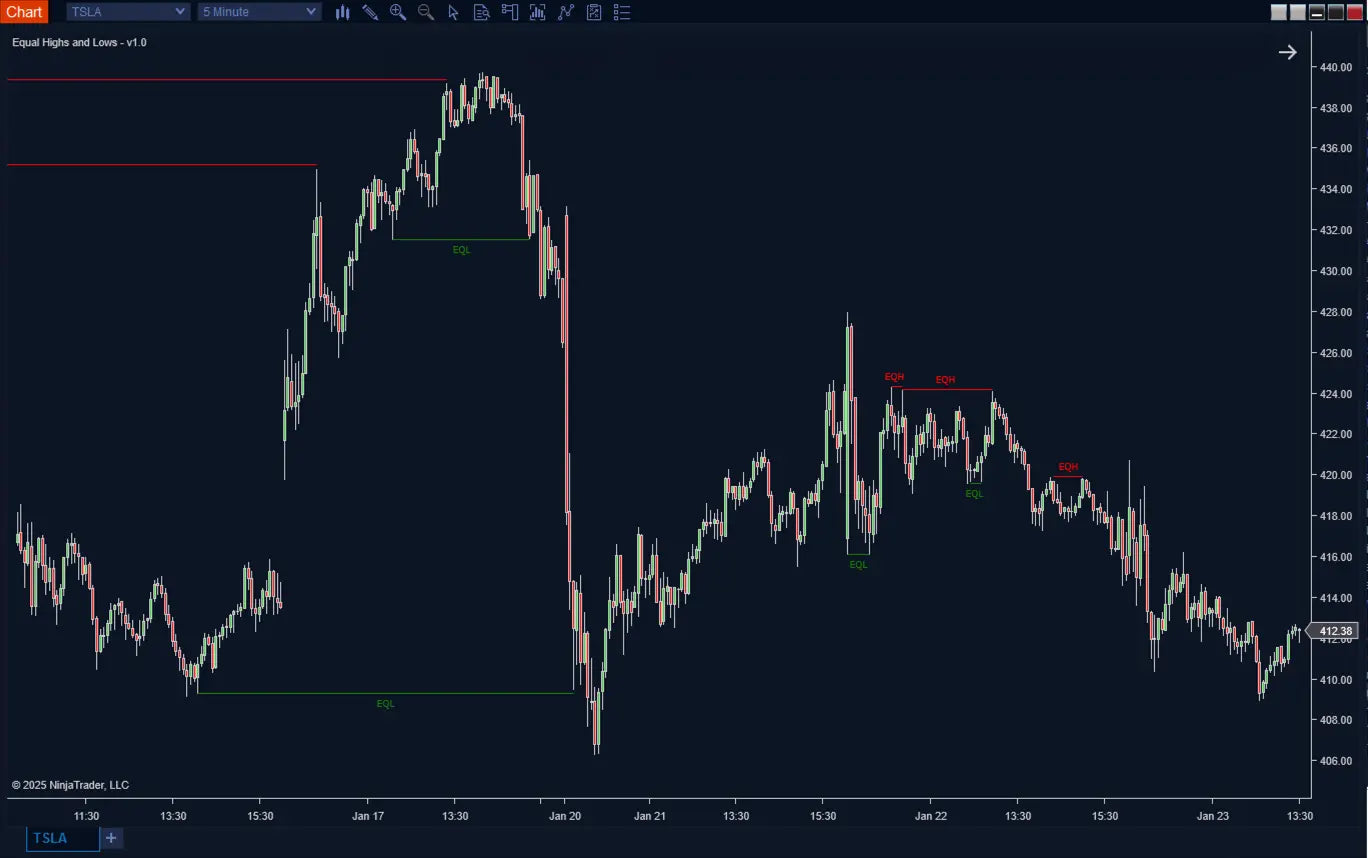
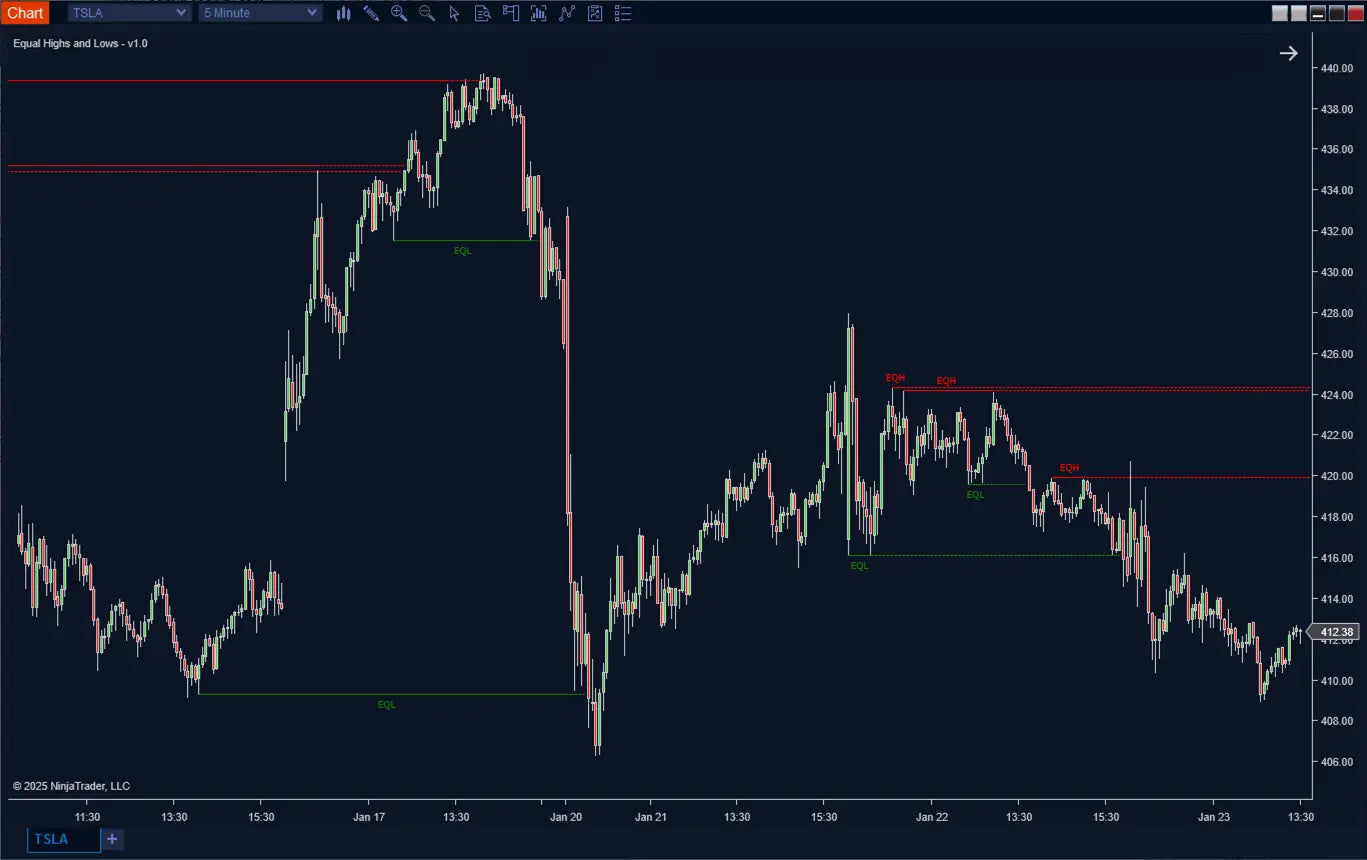
- ✔ Equal High (EQH) levels plotted as horizontal lines
- ✔ Equal Low (EQL) levels plotted as horizontal lines
- ✔ Optional labels for quick identification
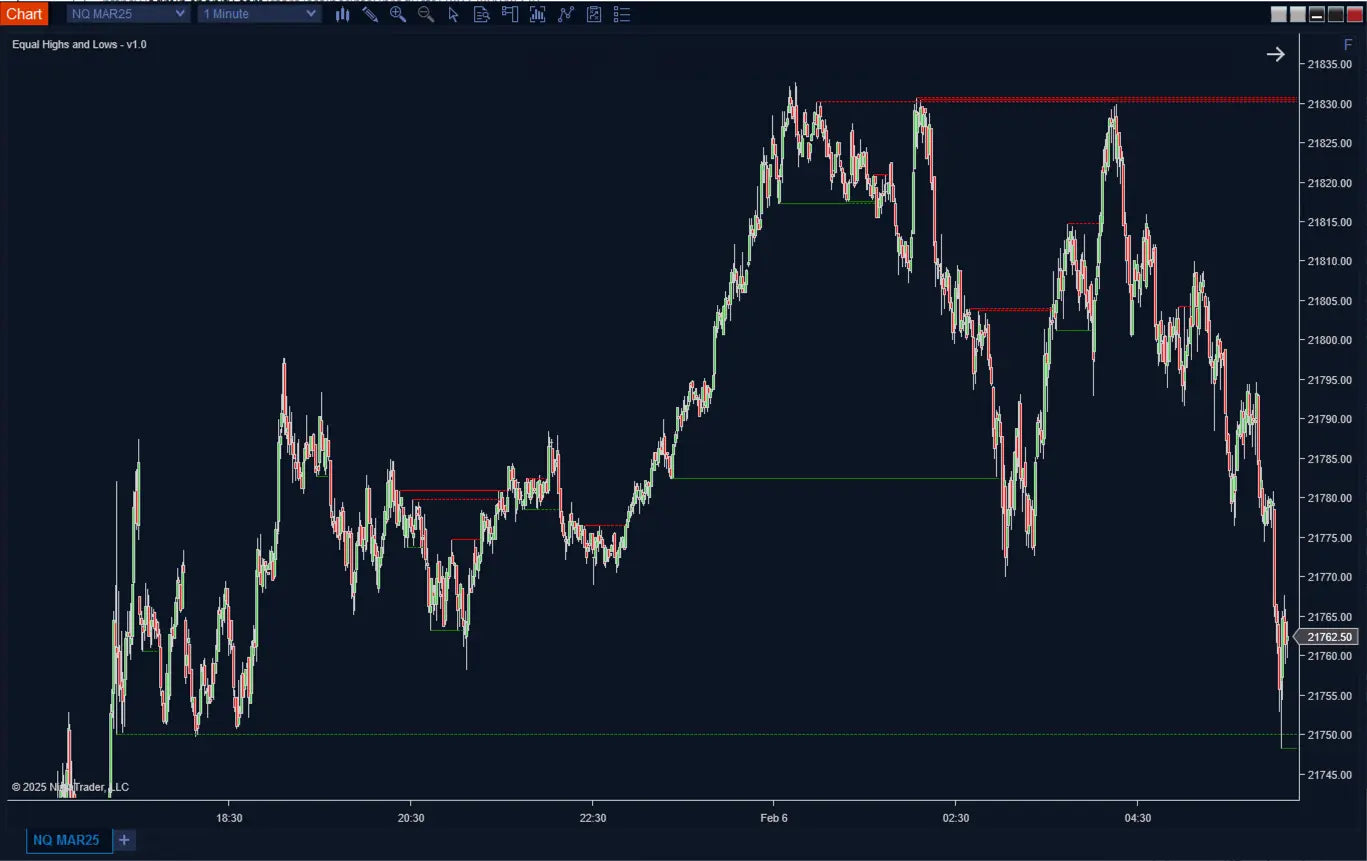
- ✔ Extendable lines for ongoing market reference
These levels remain on your chart, allowing you to observe how price interacts with liquidity over time.
Key Features
Automatic Equal High & Low Detection
- Identifies EQH and EQL levels based on swing structure
- Eliminates manual chart marking
- Continuously updates as new structures form
Pivot-Based Confirmation (Higher Accuracy)
Unlike indicators that scan all highs and lows indiscriminately, EQH/EQL:
- ✔ Waits for confirmed pivot structures
- ✔ Filters out weak or insignificant levels
- ✔ Reduces false signals caused by minor fluctuations
This results in cleaner, more reliable liquidity levels. :contentReference[oaicite:1]{index=1}
Adjustable Sensitivity
- Pivot Lookback: Controls how significant a swing must be
- Threshold: Defines how close highs/lows must be to qualify as equal
This allows you to tailor detection for:
- Scalping (tight threshold)
- Intraday trading
- Swing trading (wider threshold)
Persistent Market Structure
- Levels remain on the chart even after being broken
- Track historical liquidity sweeps and reactions
- Understand how price respects or violates key zones
Customizable Visualization
- Adjust colors for EQH and EQL
- Control line width and style
- Toggle labels and positioning
- Extend lines forward for future reference
Automation & Strategy Integration
The indicator provides hidden plots for advanced use:
- Signal (-1 = EQH, +1 = EQL)
- LastEQH / LastEQL (price values)
- Active level tracking
These can be used for NinjaTrader Strategy Builder, automation, and backtesting. :contentReference[oaicite:2]{index=2}
Important Behavior (No Repainting)
EQH/EQL follows a confirmed pivot approach:
- Levels appear only after structure is validated
- No repainting after confirmation
- Hidden signals update earlier for automation use
This ensures a balance between accuracy and real-time usability.
Why This Indicator is Different
| Feature | EQH/EQL | Basic S/R Tools |
|---|---|---|
| Detection Method | ✔ Pivot-based | ✖ Manual / arbitrary |
| Liquidity Focus | ✔ Yes | ✖ Limited |
| Automation | ✔ Supported | ✖ No |
| Noise Filtering | ✔ Structured | ✖ Weak |
Use Cases
- ✔ Identify liquidity pools for smart money trading
- ✔ Anticipate stop hunts and liquidity sweeps
- ✔ Confirm breakout setups
- ✔ Combine with ICT tools (FVG, Order Blocks, SMT, CISD)
- ✔ Build liquidity-based automated strategies
How to Use
- Step 1: Identify EQH/EQL levels on chart
- Step 2: Watch price approach liquidity zones
- Step 3: Look for sweep + rejection or breakout
- Step 4: Confirm with structure or confluence tools
Price doesn’t move randomly.
It moves toward liquidity—and EQH/EQL shows you exactly where it is.
Track liquidity. Anticipate the sweep. Trade with confidence.
Recommended Timeframe
Recommended Timeframe
Mulitimeframe
Supported Systems
Supported Systems
NinjaTrader 8, SharkIndicators Bloodhound 1 and 2, and SharkIndicators Blackbird 1
Version
Version
1.0
First Release Date
First Release Date
-
License Terms
Prices shown are for a single license. Each license can be linked to one NinjaTrader User ID, allowing the indicator to run on up to two machines concurrently under the same User ID.
Version minor upgrades and bug fixes are included within the lifetime license. For more license details, review Terms of Service
-
Refund Terms
7-days 100% money back guarantee when trial licenses was not offered for the customer. For more details, review Refund Policy