

ScalperIntel
Swing Failure Pattern
Swing Failure Pattern
Couldn't load pickup availability
Swing Failure Pattern (SFP) Indicator for NinjaTrader
Identify liquidity traps. Trade the reversal.
The Swing Failure Pattern (SFP) indicator is built to detect one of the most powerful price action signals in trading—liquidity grabs followed by rejection.
When price breaks a key swing level but fails to hold beyond it, it often signals that liquidity has been taken and the market is ready to reverse. The SFP indicator automatically detects these events and highlights them in real time.
Designed for both discretionary and systematic traders, SFP provides a clear, rule-based framework to identify high-probability reversal setups.
The Concept
A Swing Failure Pattern occurs when:
- ✔ Price breaks above or below a recent swing level
- ✔ Fails to hold beyond that level
- ✔ Closes back inside the range
This behavior reflects liquidity engineering—where stops are triggered before price reverses direction. :contentReference[oaicite:0]{index=0}
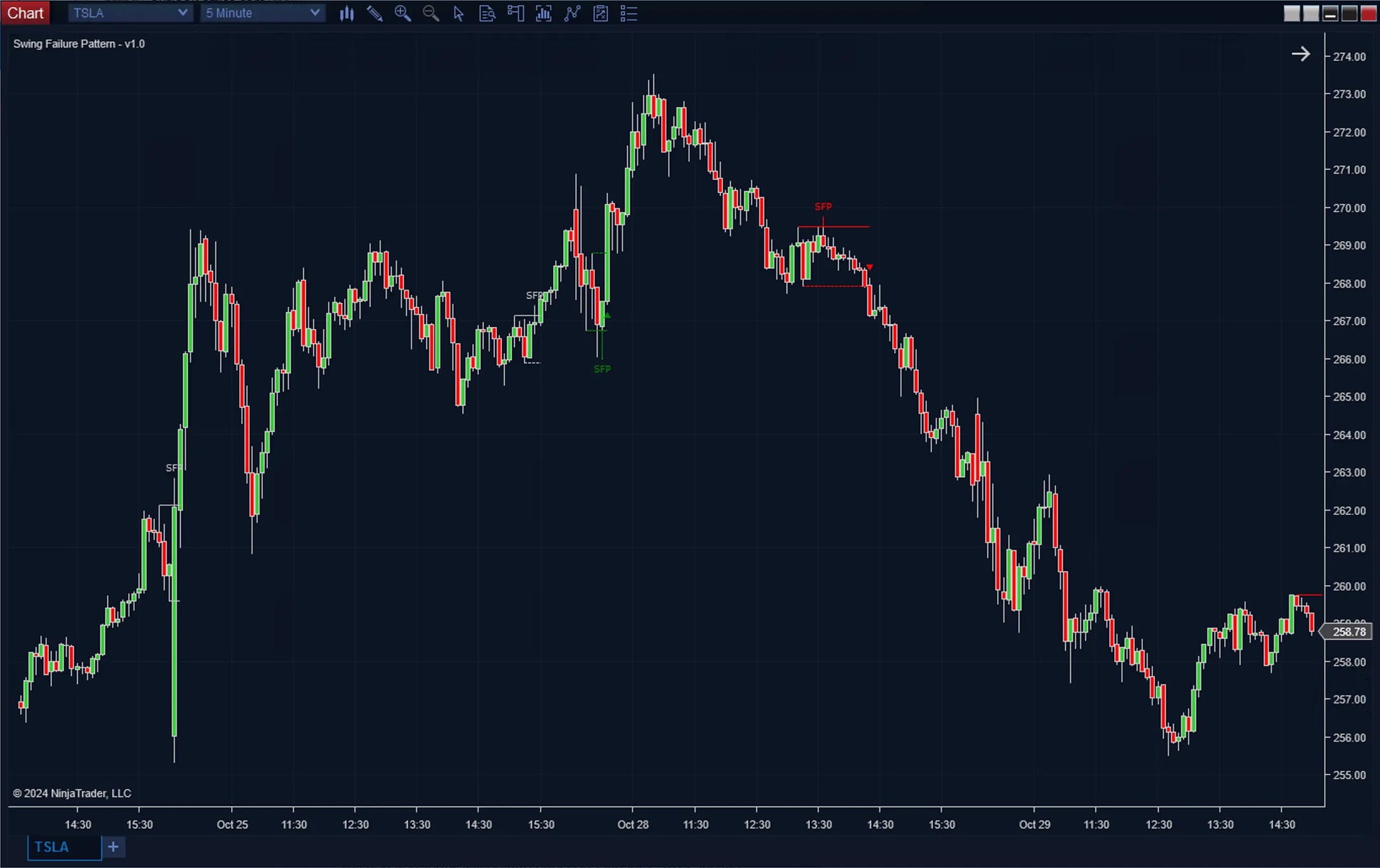
- Bearish SFP: Price breaks above a swing high → fails → reverses down
- Bullish SFP: Price breaks below a swing low → fails → reverses up
These setups are widely used in Smart Money Concepts (SMC) and institutional trading strategies.
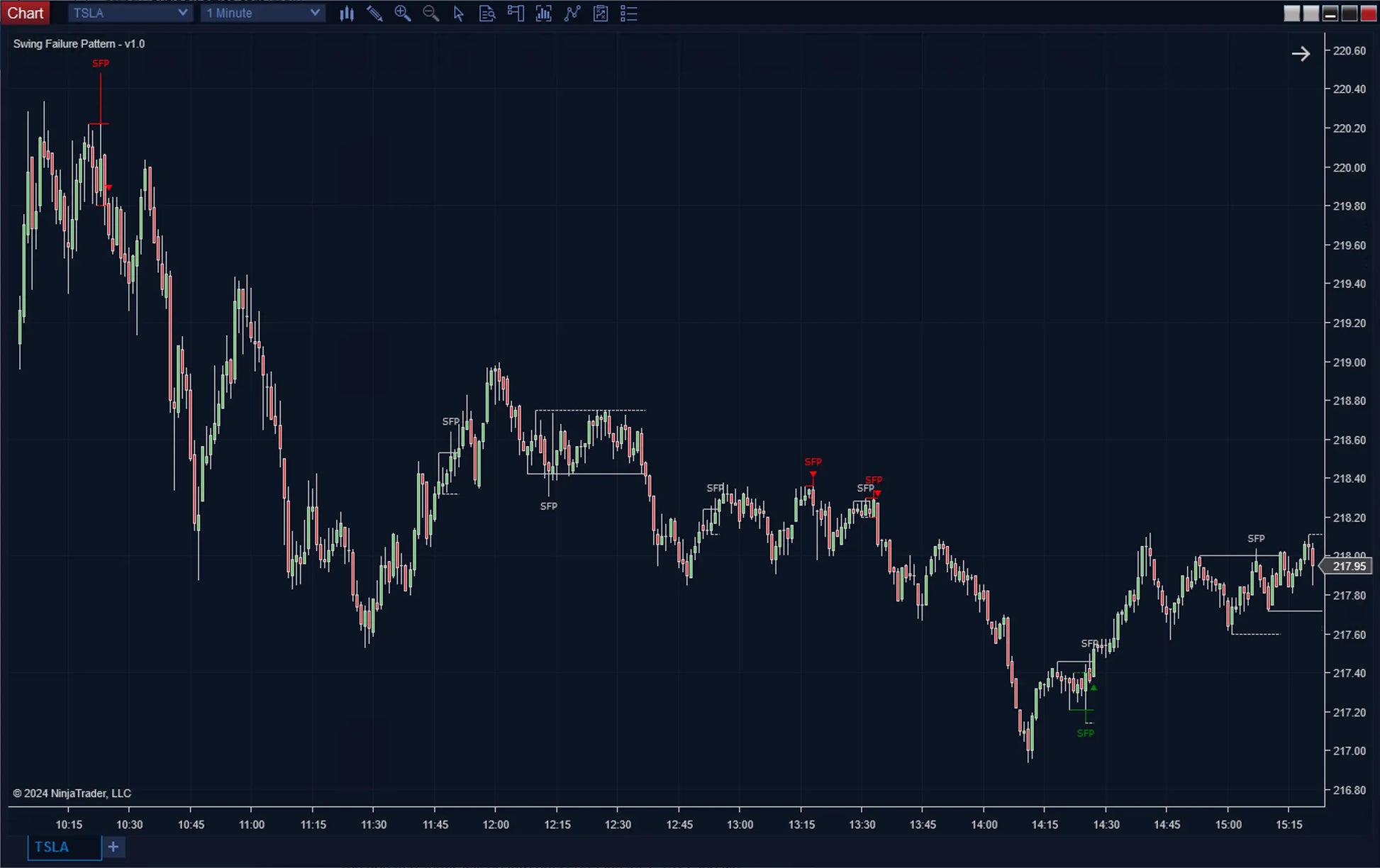
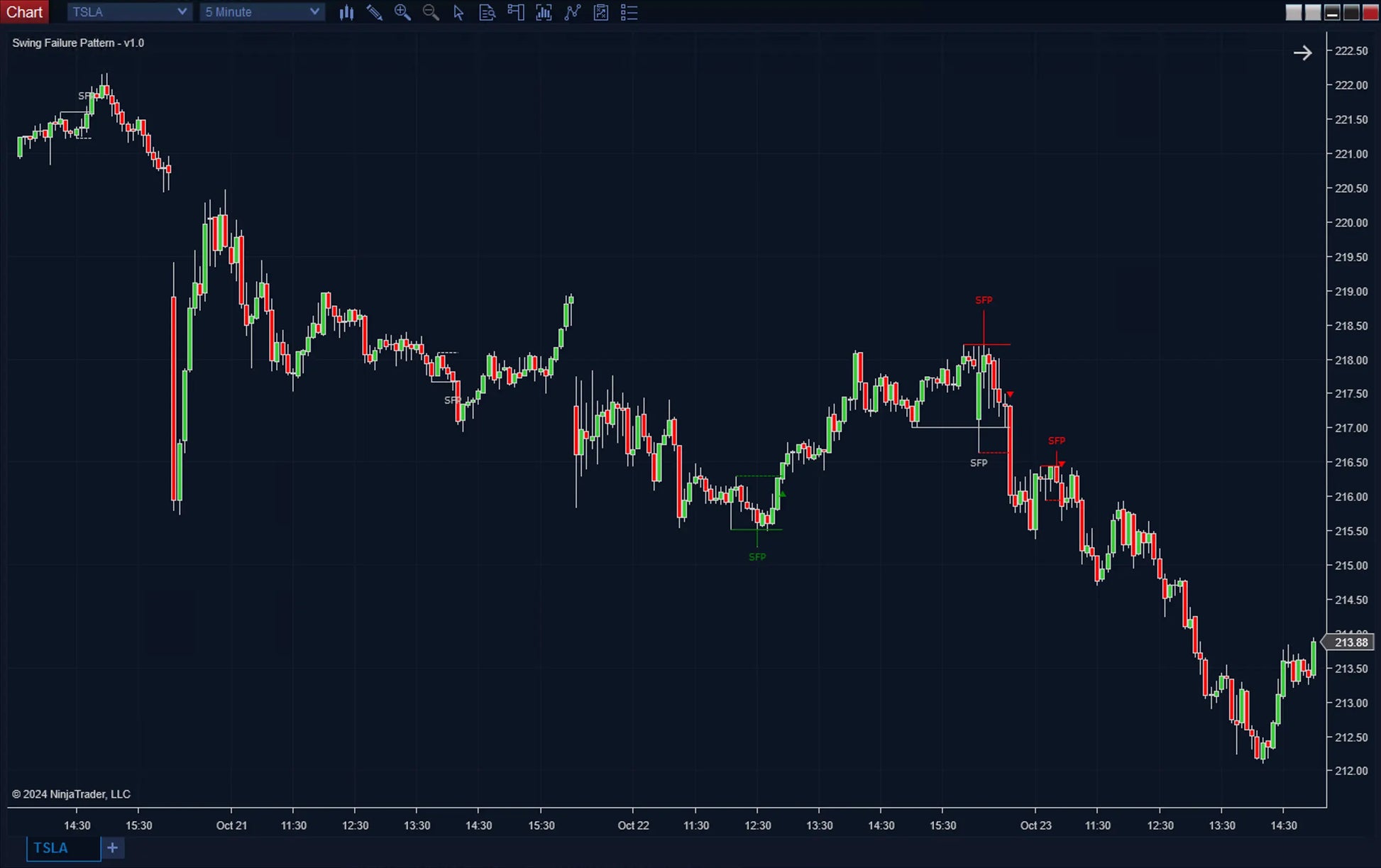
What You See on the Chart
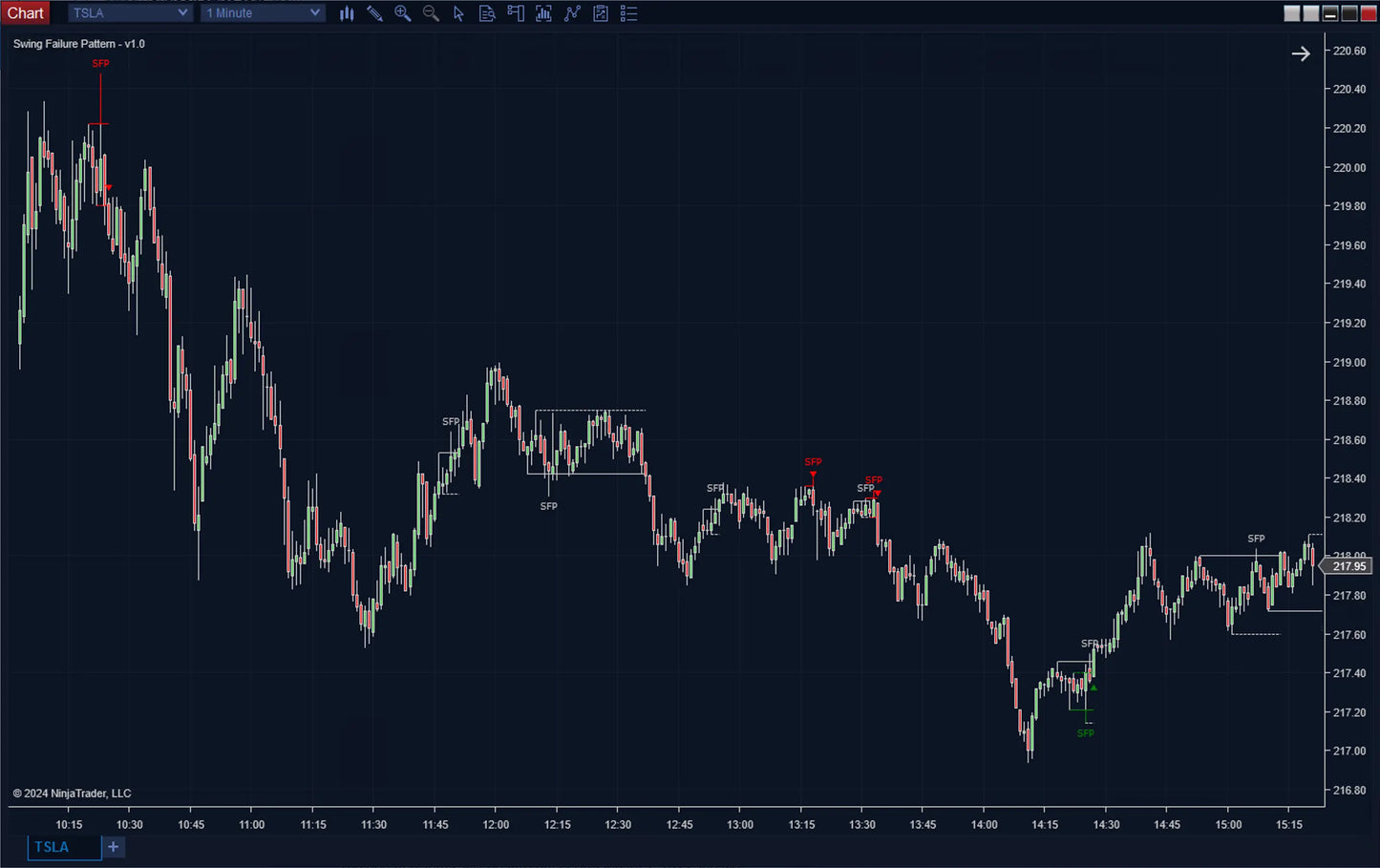
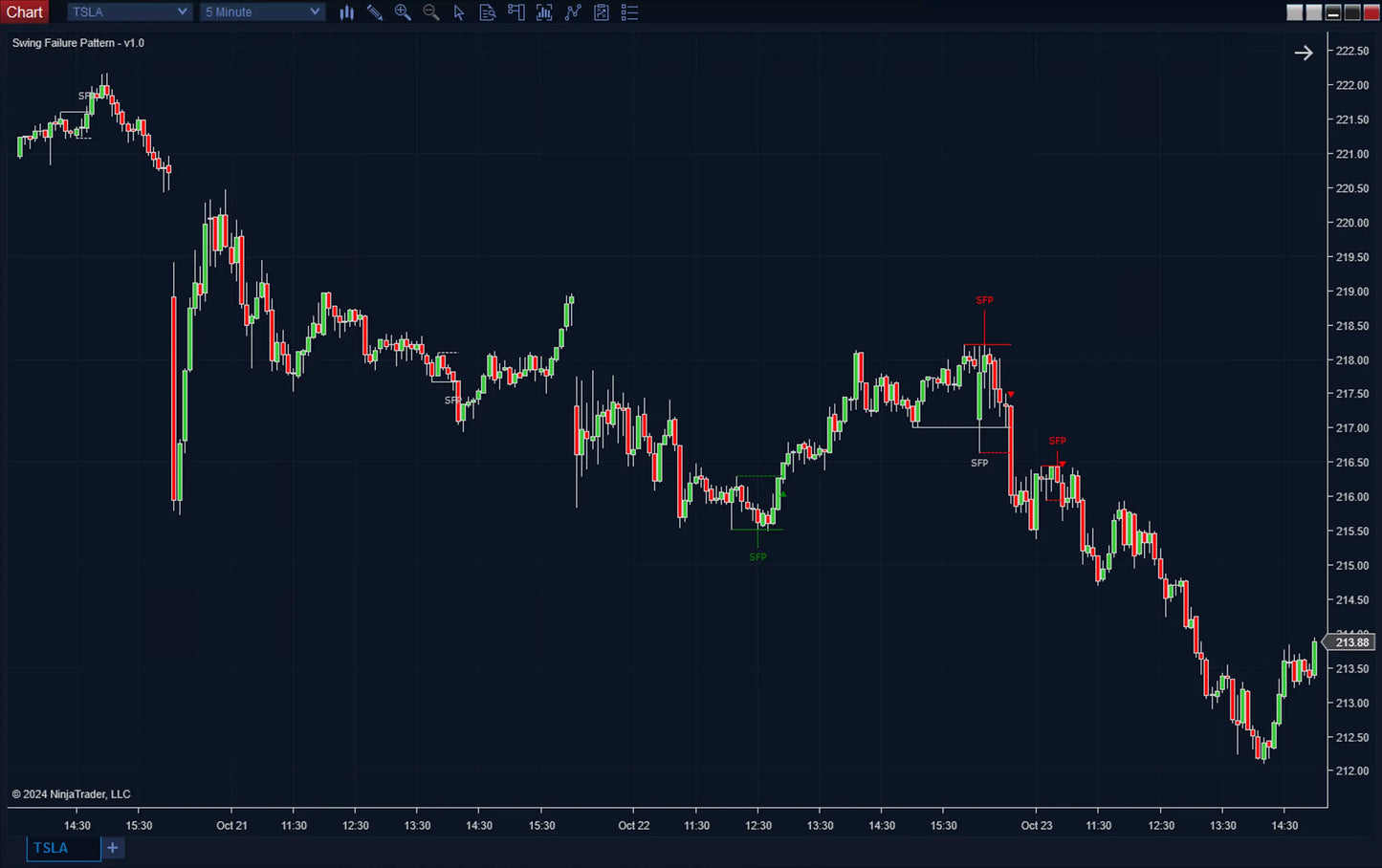
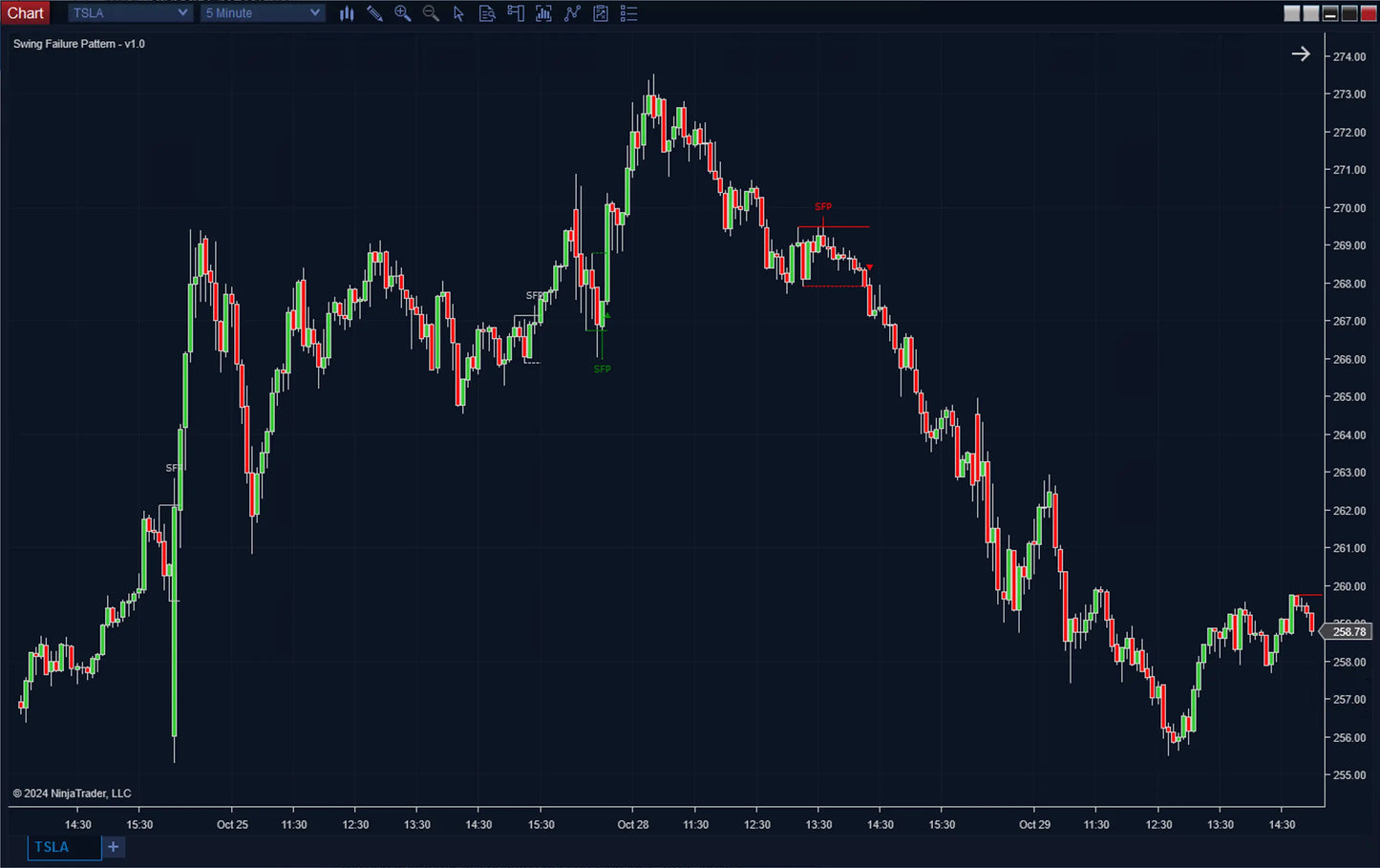
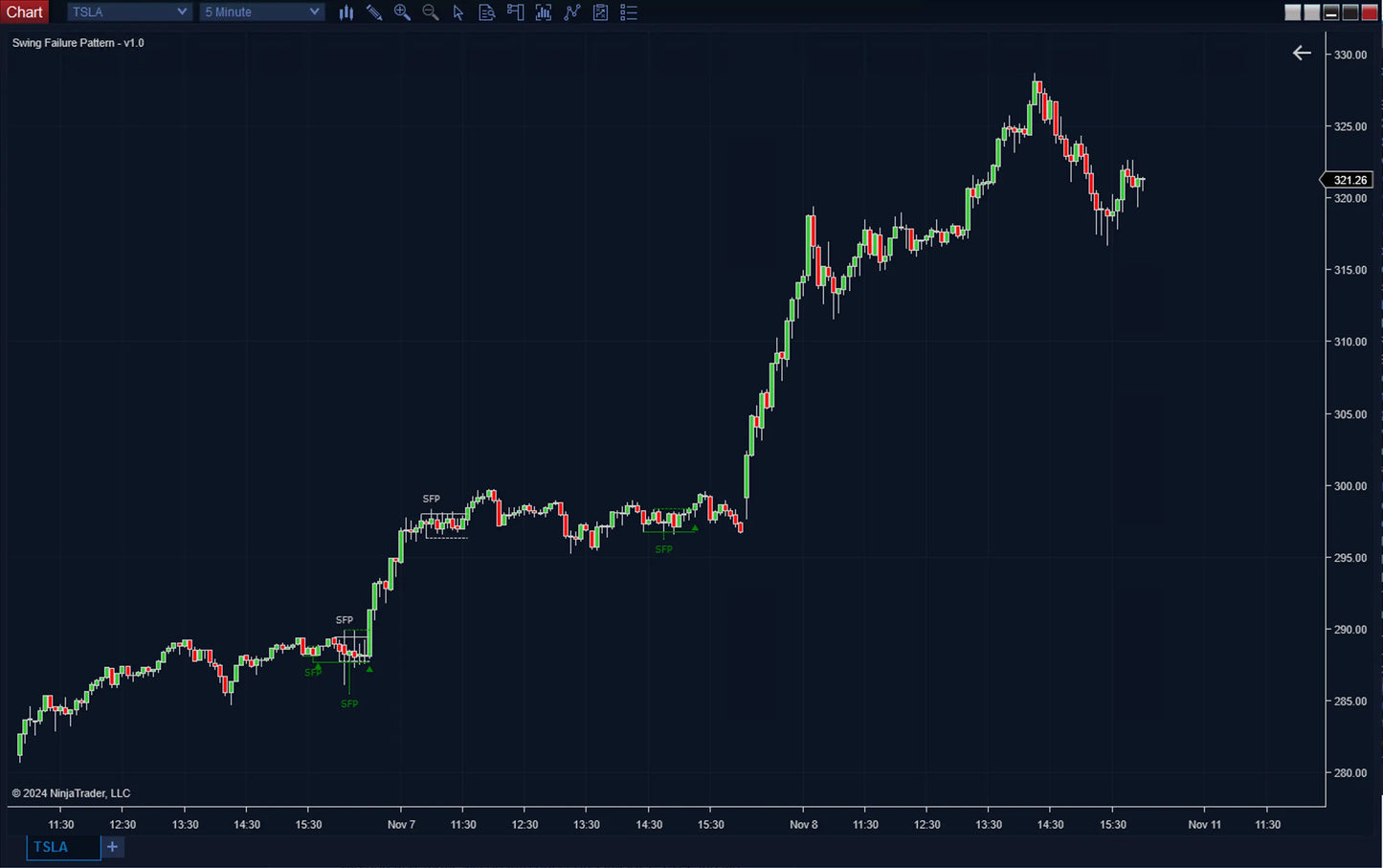
- ✔ Swing levels (highs and lows)
- ✔ Wick rejection highlights
- ✔ Confirmation lines
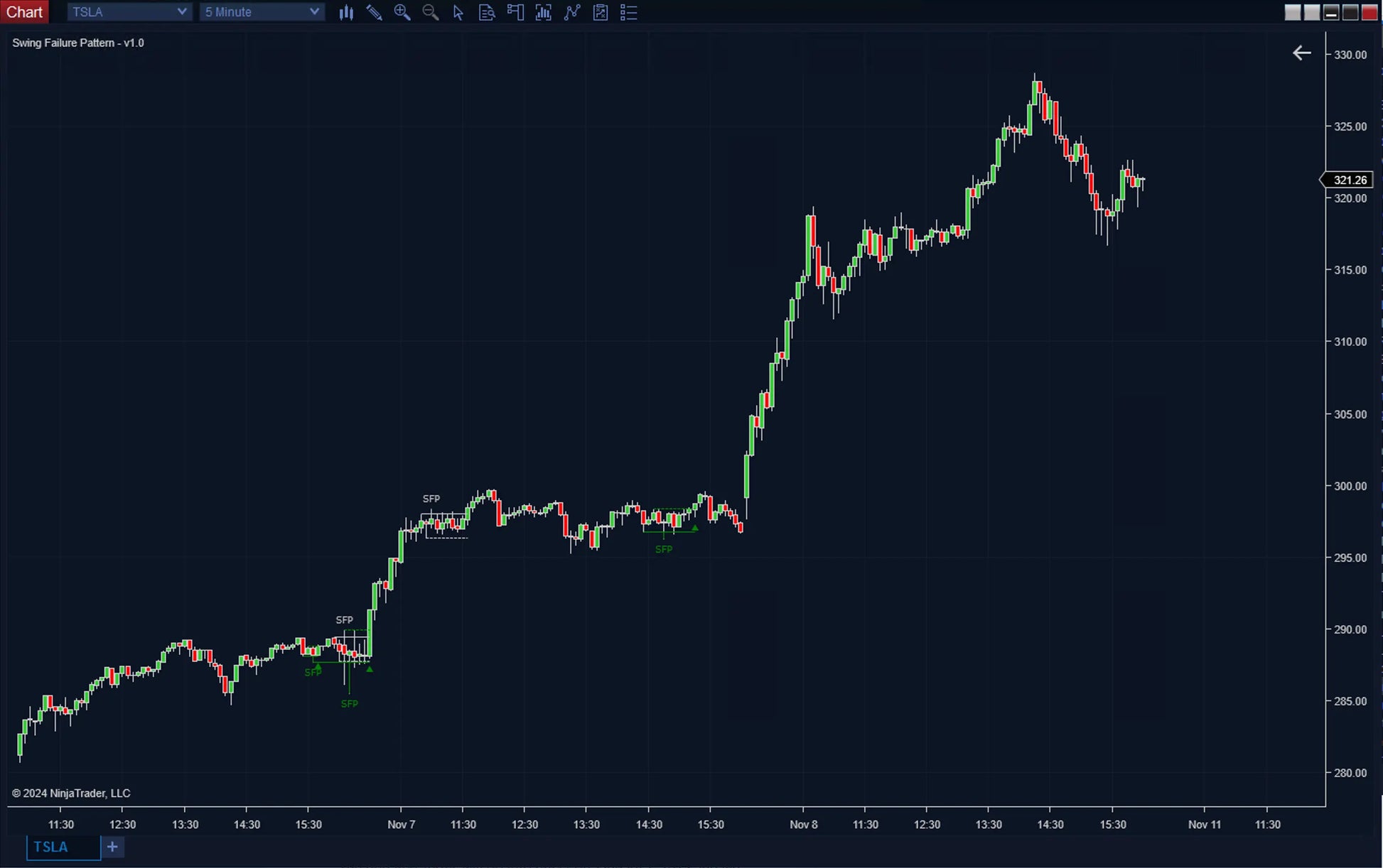
- ✔ SFP labels on chart
- ✔ Color-coded signals (potential vs confirmed)
This provides a complete visualization of liquidity traps in real time.
Key Features
Automatic SFP Detection
- Identifies bullish and bearish swing failure patterns
- Tracks recent swing highs and lows dynamically
- Works across all timeframes and markets
Confirmation-Based Entries
- Includes confirmation level for validation
- Signal becomes confirmed only after key level break
- Reduces false signals and improves accuracy
Color-Coded Signal System
- Silver → Potential (unconfirmed)
- Green → Confirmed bullish
- Red → Confirmed bearish
This ensures you can distinguish early signals vs confirmed setups.
Volume-Based Filtering
- Filter SFPs using rejection (wick) volume
- Compare wick volume against:
- Swing candle volume
- Rejection candle volume
- Customize threshold (e.g., 25%)
This helps eliminate low-quality or weak signals. :contentReference[oaicite:1]{index=1}
Highly Customizable Visualization
- Toggle swing lines and confirmation lines
- Highlight failure wicks
- Show or hide SFP labels
- Adjust colors, line width, and label positioning
Automation & Strategy Integration
The indicator exposes structured signals:
- +1 → Bullish detected
- +2 → Bullish confirmed
- -1 → Bearish detected
- -2 → Bearish confirmed
Also includes swing and confirmation levels for system-based trading and backtesting. :contentReference[oaicite:2]{index=2}
Non-Repainting Logic
- ✔ Patterns are based on completed candle behavior
- ✔ Confirmation ensures stability of signals
- ✔ Reliable for live trading and automation
Why This Indicator is Different
| Feature | SFP | Basic Price Action |
|---|---|---|
| Liquidity Detection | ✔ Automated | ✖ Manual |
| Confirmation Logic | ✔ Built-in | ✖ Subjective |
| Instant Detection | ✔ Same Bar (Potential Setup) | ✖ Delayed Detection |
| Volume Filtering | ✔ Yes | ✖ No |
| Automation | ✔ Supported | ✖ No |
Use Cases
- ✔ Catch liquidity grabs and stop hunts
- ✔ Trade reversals at key swing levels
- ✔ Confirm entries after liquidity sweeps
- ✔ Combine with IFVG and HyperTrend for confluence
- ✔ Build reversal-based automated strategies
How to Use
- Step 1: Identify SFP forming at swing level
- Step 2: Wait for confirmation break
- Step 3: Enter in direction of reversal
- Step 4: Manage risk around swing level
The market moves where liquidity is.
SFP shows you when that liquidity has been taken.
Trade the trap. Capture the reversal.
Recommended Timeframe
Recommended Timeframe
Mulitimeframe
Supported Systems
Supported Systems
NinjaTrader 8, SharkIndicators Bloodhound 1 and 2, and SharkIndicators Blackbird 1
Version
Version
1.0
First Release Date
First Release Date
-
License Terms
Prices shown are for a single license. Each license can be linked to one NinjaTrader User ID, allowing the indicator to run on up to two machines concurrently under the same User ID.
Version minor upgrades and bug fixes are included within the lifetime license. For more license details, review Terms of Service
-
Refund Terms
7-days 100% money back guarantee when trial licenses was not offered for the customer. For more details, review Refund Policy