


ScalperIntel
Pivot Range
Pivot Range
Up to 2
machines per license
- Instant download after checkout
- Lifetime updates included
- NinjaTrader 8 compatible
- Direct support from the team
Enter it to unlock an offer.
Your offer is on its way.
We've emailed your offer. Check your inbox (and spam) for the link to get started.
Couldn't load pickup availability
Overview
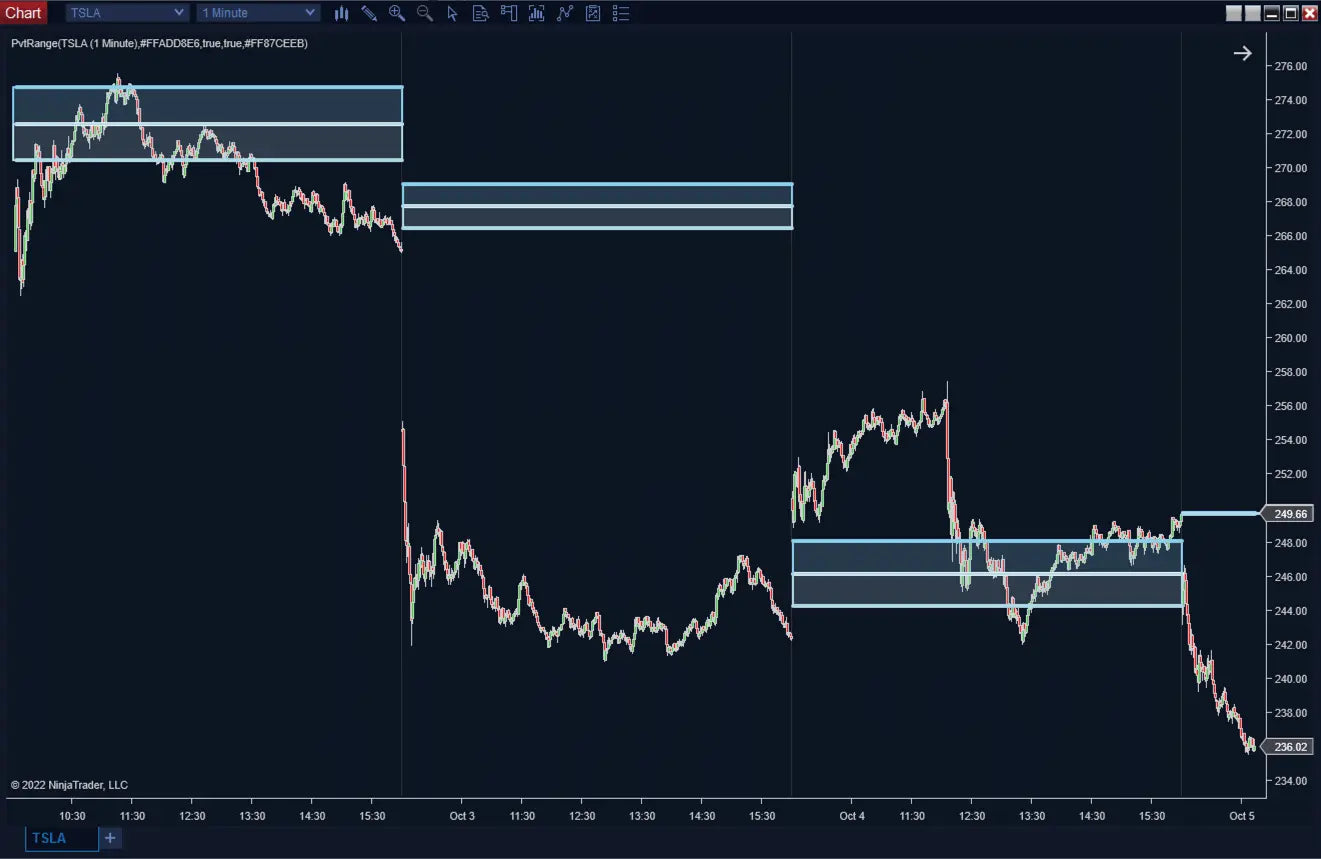
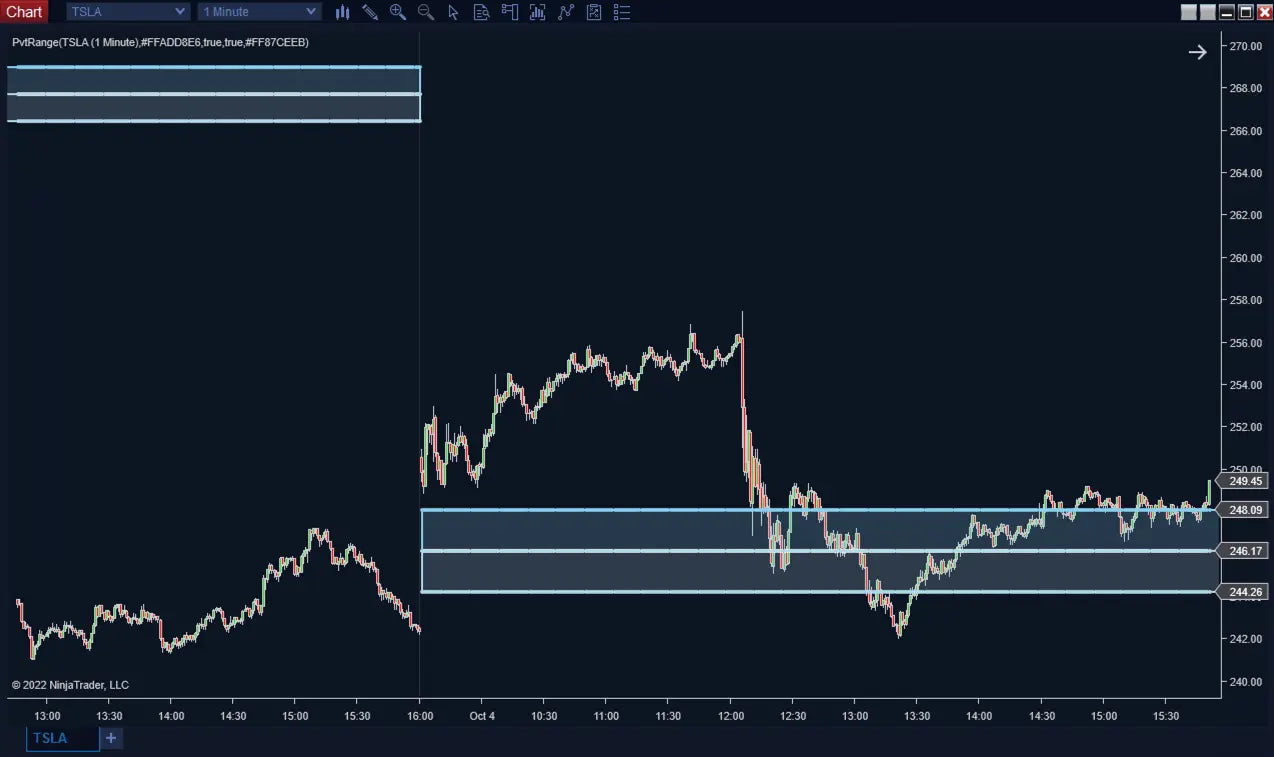
Pivot Range for NinjaTrader 8 — calculates the daily Central Pivot Range from the previous day's open, high, low, and close, plotting the central pivot line plus upper and lower pivot ranges as a clean directional bias framework, with a close2pivot data series for automation.
Built for traders who start each session with a defined bias. Non-repainting, automation-ready, Strategy Builder + Market Analyzer compatible.
What Makes It Different
Trading Concepts You'll Use
- Central Pivot Range (CPR)
- Daily directional bias
- Previous-day OHLC analysis
- Intraday decision zones
- Multi-instrument bias scanning
- Rule-based trade filtering
Features
Core Detection
- Daily Pivot Range Calculation: Uses previous-day open, high, low, and close.
- Central Pivot Line: Plotted directly on the chart for instant reference.
- Upper & Lower Pivot Range: Defines decision zones above and below the pivot.
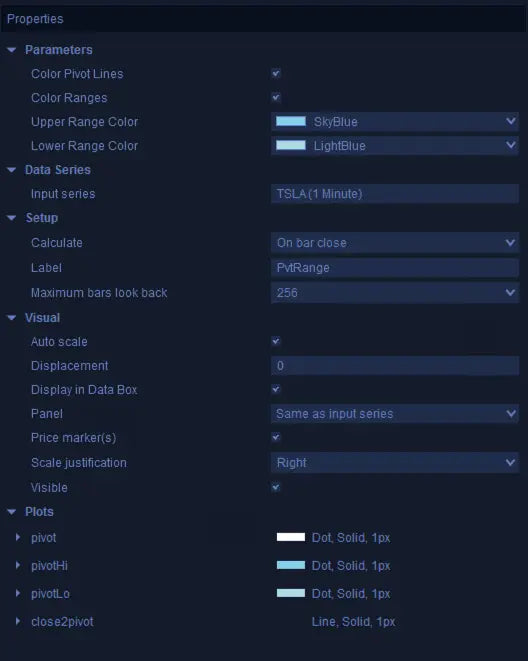
- Color Customization: Configurable colors for pivot lines and range zones.
- Bullish / Bearish / Neutral Bias: Defined by price location relative to the range.
- Directional Filter: Acts as a filter for entries, exits, and trade selection.
Automation & Pro Tools
- close2pivot Plot: 2 = price above Pivot High, 1 = price above Pivot Line, -1 = below Pivot Line, -2 = below Pivot Low.
- Strategy Builder Ready: Reference close2pivot directly in rule-based strategies.
- Market Analyzer: Use close2pivot as a column for multi-instrument bias scanning.
- Backtest-Ready: Pivot levels are non-repainting from confirmed previous-day data.
How It Compares
How this stacks up against typical pivot indicators on the market.
| Feature | ScalperIntel | Typical Pivot Indicators |
|---|---|---|
| Daily Bias Framework | ✔ Bullish / bearish / neutral | ✖ Levels without bias logic |
| Decision Zones | ✔ Above / below / inside range | ✖ Manual interpretation |
| Repainting | ✔ Non-repainting | ⚠ Varies |
| Automation | ✔ close2pivot for Strategy Builder | ✖ Visual only |
| Market Analyzer Use | ✔ Yes | ✖ Rare |
| Customization | ✔ Colors + visibility | ⚠ Limited |
Compatibility
Platform Support
- NinjaTrader 8 — Latest stable build. Works across all NT8-supported instruments.
- Strategy Builder — close2pivot exposed for full automation.
- Market Analyzer — Use as a column for multi-instrument bias scanning.
- BloodHound — Integrate pivot bias with BloodHound logic packs.
- Blackbird — Strategy chains supported.
Reliability & Trust
- ✔ Pivot levels calculated from confirmed previous-day data — no repainting
- ✔ No forward-looking adjustments
- ✔ Reliable for live trading, Strategy Builder backtesting, and Market Analyzer
- ✔ Continuously updated — bug fixes and new features included with every Lifetime License
FAQ
How do traders use the pivot range?
Price above the upper range supports a bullish bias. Below the lower range supports a bearish bias. Inside the range is a decision zone — traders often wait for confirmation before taking a side.
What are the close2pivot values?
2 = price above Pivot High, 1 = price above Pivot Line, -1 = price below Pivot Line, -2 = price below Pivot Low. Use these for clean conditional logic in strategies.
Does it repaint?
No. Pivot levels are non-repainting and based on confirmed previous-day data.
Can it be used in automated strategies?
Yes. The close2pivot plot is exposed for Strategy Builder, custom strategies, Market Analyzer, and backtesting.
What pairs well with Pivot Range?
VWAP for institutional anchoring, HyperTrend for trend confirmation, and structure tools (HH/LL) for context. Pivot Range gives you the daily bias; the others give you the entry trigger.
Will I get future updates?
Yes — every Lifetime License includes all minor updates and bug fixes for as long as the product exists. Major version upgrades are also included.
-
License Terms
How to activatePrices shown are for a single license. Each license can be linked to one NinjaTrader User ID, allowing the indicator to run on up to two machines concurrently under the same User ID.
After you buy, you activate the license yourself in your account — it takes about two minutes.
Version minor upgrades and bug fixes are included within the lifetime license. For more license details, review Terms of Service
-
Refund Terms
7-days 100% money back guarantee when trial licenses was not offered for the customer. For more details, review Refund Policy